
Gospel Library
The Church of Jesus Christ of Latter-day SaintsBooks & Reference
4.727.62K Reviews
- Version
- 7.7.4-(774002.3318603)
- Installs
- 10.00M
- Age Rating
- Everyone
Screenshots
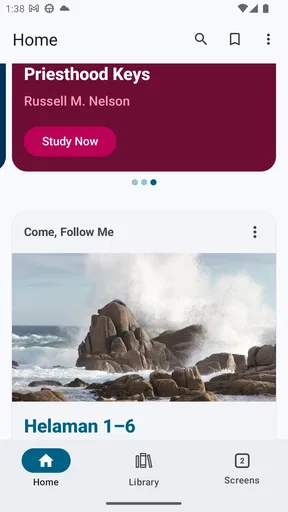
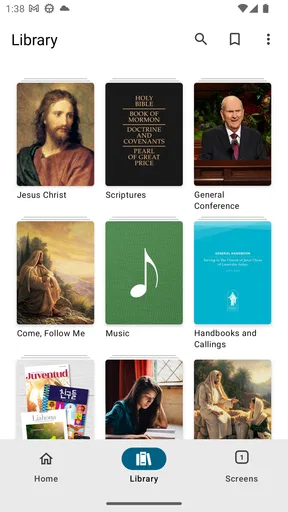
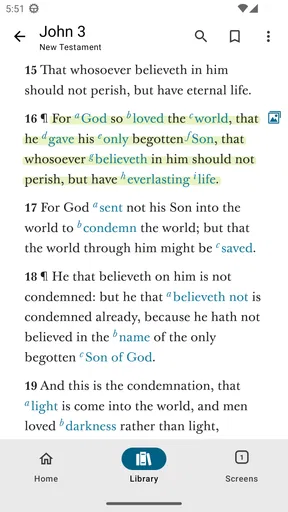
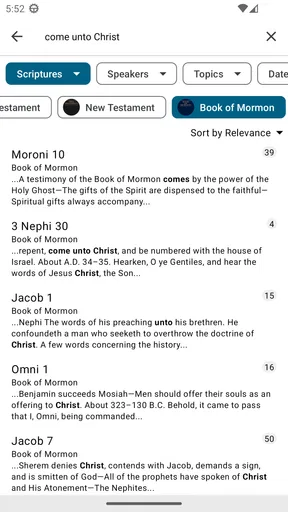
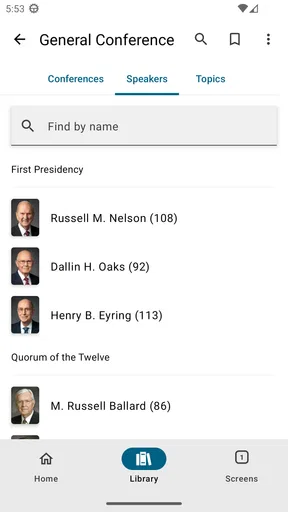
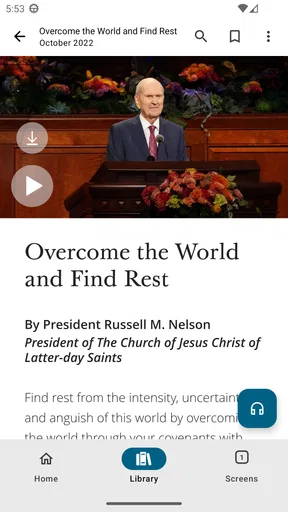
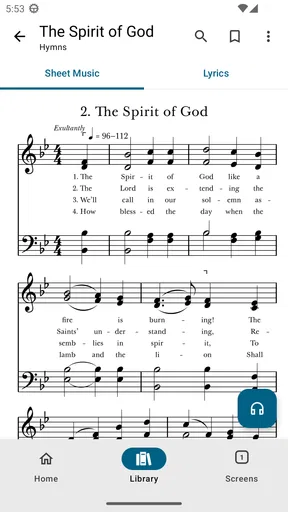
Our Review of Gospel Library
 Analysis by Appyee
I approached Gospel Library as a practical reading and study tool rather than simply another religious reference app. It is a free Books & Reference app from The Church of Jesus Christ of Latter-day Saints, built around access to scripture and other gospel-focused material. My main question was not whether it contains a lot to read, but whether it helps someone return to that material regularly, find the right passage without friction, and build a study habit that feels manageable on a phone.
That distinction matters. A large digital library can be impressive and still be awkward for everyday use. In my experience, this app makes the most sense for people who already want a central place for their religious reading, especially members of the Church who use several kinds of official material. It is less compelling for someone looking for a broad, denomination-neutral Bible reader, a general e-book platform, or a simple app with only one translation and no wider study context.
How I would decide whether Gospel Library fits
The first decision is about the kind of reading you want to do. If your goal is a quick verse lookup, almost any Bible app can be sufficient. If you want to move between scripture, study material, talks, manuals, and other Church resources, a dedicated library has a different advantage: it gives those materials a shared home instead of scattering them across separate apps, browser tabs, saved documents, and paper books.
I would also consider how often you study away from a desk. On a phone, the best reference tool is usually the one that reduces the number of steps between opening the app and beginning to read. Gospel Library is designed for repeated visits, so it suits a morning reading routine, a lesson preparation session, a quiet moment during travel, or a family discussion where someone needs to locate a passage quickly.
There is a useful difference between reading and studying here. Reading means opening a text and moving through it. Studying means returning to a phrase, comparing nearby passages, marking something for later, or following a subject across more than one resource. I found the second use case more persuasive than the first. A basic reader may feel cleaner if all you need is uninterrupted text, while this app earns its place when you want the library around the text.
The app has been available since May 28, 2010, which helps explain why it feels like an established reference product rather than a newly assembled content viewer. Its current version is 7.7.4-(774002.3318603), and it works on devices running Android 6.0 or later. That makes it accessible on many older phones, although the experience will still depend on the device’s screen size, storage, and general speed.
Navigation matters more than the size of the catalog
When I judge a study app, I pay close attention to what happens after the initial search. Finding a passage is only the first step. Can I understand where it belongs? Can I continue reading around it? Can I return to it later without repeating the same search? Can I move from a scripture reference to related material without losing my place?
Gospel Library is strongest when I treat it as a structured collection instead of a search box. Browsing through its organized material can be more useful than searching for isolated words, particularly when I am preparing a lesson or trying to understand a topic in context. Search remains valuable for a remembered phrase or reference, but browsing gives me a better sense of the surrounding material and helps prevent a single result from becoming the entire study.
My practical advice is to begin with a clear destination. Choose the book, subject, or collection you intend to study, then use search to answer specific questions inside that area. Searching the whole library immediately can produce a useful result, but it can also encourage shallow hopping between documents. The app is more rewarding when I use the library structure to create a route and search as a shortcut along that route.
Where the app wins for regular gospel study
The clearest strength is concentration. Instead of combining a scripture app with a separate document reader and a browser search, I can keep my study within one Church-focused environment. That does not make every task faster, but it reduces the mental overhead of deciding which source to open. For someone whose reading regularly crosses between scripture and official teaching material, that simplicity is meaningful.
I also like the app’s fit for different study lengths. A short session can involve reading a few paragraphs and saving a thought for later. A longer session can involve following a subject through several resources and making notes as questions arise. The same app supports both habits, so I do not need a separate workflow for a quick devotional moment and a more deliberate preparation session.
Another advantage is continuity. When I use a general web search, I may find an explanation that is useful but disconnected from the material I was already reading. Gospel Library keeps the focus on the Church’s own collection. That is not automatically better for every theological question, but it is valuable when my priority is studying within that tradition and using its official vocabulary and references.
The app is also a sensible choice for households where more than one person needs access to the same body of material. A parent preparing a family discussion, a student reviewing a lesson, and a member looking up a passage can all begin from the same library. The benefit is not a flashy feature; it is the shared reference point. Everyone is less likely to be working from a different edition, unrelated website, or incomplete search result.
Its popularity supports that practical role. Gospel Library has an average rating of 4.7 from around 231 thousand ratings, with more than 28 thousand written reviews and over 10 million installs. I would not treat those figures as proof that it will suit every reader, but they do indicate that it has become a widely used part of many people’s scripture-study routines.
Small workflows that make a real difference
One workflow I found especially useful is separating discovery from review. During a study session, I can mark or note the passages that seem important without trying to organize everything immediately. Later, I can return to those saved items and decide which ones deserve a longer note, a lesson reference, or a place in a personal study plan. This prevents the common problem of interrupting reading every few minutes to create a perfect filing system.
A second useful approach is to read a passage before opening related material. It is tempting to jump straight from a search result into commentary or a talk, but first reading the surrounding verses gives me a personal understanding of the text. I then use the additional resources to broaden or clarify that reading rather than allowing the first search result to replace it.
A third tip is to prepare for offline moments before they happen. If I know I will be traveling, attending a meeting, or spending time somewhere with unreliable connectivity, I would open the material I expect to use in advance and make sure it is available when needed. This is a general mobile-reading habit, but it is particularly important for a library app: the convenience comes from having the relevant material ready, not from assuming every location will provide a good connection.
I would also avoid treating personal notes as a substitute for a study method. Notes are most useful when I attach them to a question, a theme, or a future action. For example, instead of writing “important,” I might record why a passage matters to a lesson or what question I want to revisit. That turns the app from a passive archive into a lightweight study companion.
What may frustrate new users
The same breadth that makes Gospel Library useful can make it feel busy. Someone opening it for the first time may see more material than expected and wonder where to begin. The solution is not to explore everything at once. I recommend choosing one primary collection and one immediate purpose, such as personal reading, lesson preparation, or topic research.
There is also a trade-off between a library interface and a minimalist reader. If I want large text, no distractions, and a straight line from the first page to the last, a simpler reading app may feel more comfortable. Gospel Library asks me to think in terms of collections and references, which is helpful for study but unnecessary for someone who only wants a quiet reading screen.
Search can create another kind of friction. A keyword may return several relevant passages, but relevance is not the same as usefulness. I still need to judge context, wording, and purpose. The app can help me locate material; it cannot decide which passage answers my question or whether I am reading it fairly. That responsibility remains with the reader.
On a smaller phone, long passages and detailed study can also become tiring. I would use a larger screen or a tablet when preparing an extended lesson, especially if I expect to move repeatedly between a main text and supporting material. The mobile format is convenient, but convenience does not eliminate the physical limits of reading on a compact display.
Where another kind of app may fit better
I would choose a general Bible app instead if my main need were comparing translations, consulting a wide range of cross-denominational resources, or keeping my reading centered on the Bible alone. Gospel Library is intentionally more focused. That focus is its strength for Church-centered study, but it may feel narrow to readers who want a broad ecumenical reference tool.
I would choose a general e-book reader if my priority were reading novels, academic books, or unrelated documents in one place. This app is not meant to replace a universal reading shelf. Its value comes from the particular body of gospel material it brings together, not from serving as a home for every kind of book.
A browser may be better for occasional visitors who need one public reference and do not want to install a dedicated app. The browser is also more suitable when research must extend beyond the Church’s library. On the other hand, repeated users usually benefit from an app because opening a dedicated tool is faster than rebuilding the same browser search each time.
For people who want a social study experience, a community-centered platform may offer more discussion and interaction. Gospel Library is better understood as a personal reference and reading environment. I would not select it expecting a lively conversation feed or a substitute for a local class. Its quiet, source-focused approach works best when I want to read, reflect, and organize my own study.
The cost of changing from another reading routine
Because the app is free and rated for Everyone, trying it involves little financial risk. The more important cost is attention. Moving from paper books, a browser, or another scripture app means learning a new way to locate material and deciding whether your existing notes and bookmarks should remain where they are.
I would not switch everything on the first day. A better test is to use Gospel Library for one complete task: prepare a short lesson, follow a selected reading plan, or research one topic from start to finish. Notice how quickly you can find the starting point, whether the surrounding material is easy to reach, and whether you can return to the passages you marked. That experiment gives a more honest answer than simply opening the app and browsing its largest collections.
If your current routine is paper-based, the transition can be gradual. Keep the physical book for uninterrupted reading and use the app when you need search, related references, or a portable collection. If your routine is already digital, the switch is easier to evaluate because the comparison is about navigation and study flow rather than changing the entire habit.
I would also make the device decision part of the trial. On a phone, the app is excellent for short sessions and quick references. On a larger display, it may be more comfortable for extended reading and note-taking. The content remains the same kind of resource, but the screen changes how much concentration the experience demands.
A realistic everyday example
Imagine that I have ten minutes before leaving home and want to prepare for a family discussion that evening. I open the app, go directly to the relevant scripture or collection, read the surrounding section instead of relying on one search result, and mark two passages that connect with the discussion topic. Later, I return to those marked items, add a short reminder about the point I want to explain, and use the related material to find a supporting idea.
That workflow is more realistic than expecting one long study session every day. It also shows why the app is different from a basic reader. The value comes from returning to material, building a trail of references, and keeping the preparation connected. If I only needed to read a single passage once, the extra structure would not matter much.
For a student, the same pattern could mean collecting passages during the week and reviewing them before a class. For a parent, it could mean preparing a short family lesson without carrying several books. For a long-time member, it could mean revisiting familiar scripture while quickly locating related Church resources. The app does not force one study style, but it rewards users who give their reading a purpose.
Who should use it and who should skip it
I recommend Gospel Library to members of The Church of Jesus Christ of Latter-day Saints who want official gospel material close at hand, especially those who move regularly between scripture and other Church resources. It is also worth trying for newcomers who want to explore that tradition through its own library rather than through scattered search results.
I would be more cautious about recommending it to someone who wants a neutral religious reference app, extensive comparison across traditions, or a distraction-free reader with almost no navigation. Those readers may find a general Bible app, an e-book reader, or a browser-based workflow more natural. The app’s focus is not a flaw, but it is a clear boundary.
It is also not the best choice for someone who dislikes digital annotation, prefers a physical page, or expects every study question to be answered by search. The app can reduce practical barriers, but it cannot replace reflection, context, or a good reading habit. If the screen itself makes you less attentive, paper may remain the better tool.
My recommendation after using it as a study tool
Gospel Library succeeds because it treats gospel reading as more than isolated verse lookup. Its strongest use is a connected study routine in which I read a primary text, explore supporting material, save meaningful passages, and return to them later. The free price makes that workflow easy to test, while the Everyone age rating makes it suitable for a broad household audience.
I would not call it the universal best reading app. A general Bible reader may win for translation comparison, a browser may win for one-time access, and a simple e-book app may win for uninterrupted reading. But for readers who want a focused digital library from The Church of Jesus Christ of Latter-day Saints, the balance is convincing. The app has enough structure to support serious study without requiring a complicated setup.
My clear advice is to try it with a defined task rather than judging it from the opening screen. Spend a few sessions using one collection, search only when you have a question, save passages with a reason, and test whether you can resume your study naturally. If that rhythm feels helpful, Gospel Library is likely to become a dependable part of your reading life. If you want a broad, tradition-neutral tool or a bare reading screen, choosing another category of app will probably leave you more satisfied.
For my own recommendation, the deciding point is simple: choose Gospel Library when connected Church-centered study matters more than minimalism. Its large audience, strong 4.7 average, free access, and mature presence make it easy to explore, but its real value appears only when I use the library deliberately. Used that way, it is not merely a place to open a verse; it is a practical home for returning to gospel material with purpose.
Verdict
Strengths of Gospel Library
- Extensive collection of scriptures, manuals, magazines, and historical resources
- Supports offline access after downloading content
- Powerful search and bookmarking tools make study easier
- Audio recordings are available for many scriptures and publications
- Syncs notes, highlights, and reading progress across devices
Limitations of Gospel Library
- The large content library can feel overwhelming for first-time users
- Some audio and video resources require substantial storage space
- Advanced study features may take time to learn
- Content is primarily focused on Church of Jesus Christ materials
- Certain resources may require an internet connection to access initially
Other Releases by The Church of Jesus Christ of Latter-day Saints
View All
Member Tools
Books & Reference4.3

The Book of Mormon
Books & Reference4.6
Similar Picks in This Category
View All
Google Play Books & Audiobooks
Google LLC4.7

네이버 - NAVER
NAVER Corp.3.5

Wattpad - Read & Write Stories
Wattpad.com3.7

King James Bible - Verse+Audio
Ozion4.8

Bible Offline-KJV Holy Bible
Bíblia Offline4.9

Amazon Kindle: Reading App
Amazon Mobile LLC4.8
Frequently Asked Questions
What is Gospel Library?
Gospel Library is a free scripture and study app from The Church of Jesus Christ of Latter-day Saints. It provides access to the Bible, Book of Mormon, Doctrine and Covenants, Pearl of Great Price, general conference talks, manuals, magazines, hymns, and other gospel resources. Its organized library makes it useful for personal study, lesson preparation, and reading on the go.
Does Gospel Library work offline?
Yes, Gospel Library supports offline reading after you download the content you need. This is especially helpful when traveling, using limited mobile data, or studying in areas with an unreliable internet connection. Some features may still require an internet connection, including downloading new materials, synchronizing certain account information, and accessing content that has not yet been saved to your device.
Can I highlight, bookmark, and take notes in Gospel Library?
The app includes several study tools designed for personal scripture reading. Depending on the content and platform version, you can highlight passages, add bookmarks, create notes, tag related material, and view your annotations later. These tools make it easier to organize thoughts and return to important verses, talks, or lesson resources without relying on a separate notebook.
Can Gospel Library synchronize my study progress between devices?
Gospel Library can synchronize many personal study features when you sign in with your Church Account and use a supported, connected device. Highlights, notes, bookmarks, and other saved information may become available across phones and tablets. Synchronization can depend on your account, app version, and internet connection, so it is wise to keep the app updated and occasionally confirm that important notes have been saved.
Is Gospel Library free and available for both Android and iPhone?
Gospel Library is generally available as a free download for Android and iOS devices, with no standard subscription required to read its main collection of materials. Availability of specific features can vary slightly between operating systems and app updates. Before installing, check that your device meets the current requirements and download the app through the official Google Play Store or Apple App Store.
